7 Best Portable Power Station for Home Backup (October 2026)
The best portable power stations for home backup include the Jackery Explorer 1000 v2 for room-to-room backup, the EcoFlow Delta 3 Classic for home office backup, and the Bluetti Elite 100 V2 for shared living spaces.
On this page (13 sections)
- Which portable power station is best for home backup?
- How we chose these home backup power stations
- Which 1kWh stations suit selected essentials?
- Which 2kWh stations suit longer backup plans?
- How much battery capacity do you need for an outage?
- How much output should your backup station have?
- What should you connect to a home backup station?
- How should you set up the station before an outage?
- How will you recharge during a longer outage?
- Can a portable power station replace a generator?
- How do you keep backup power ready?
- Which mistakes waste home backup capacity?
- Which home backup power station should you choose?
The Jackery Explorer 1000 v2 is the best portable power station for home backup for households that want a lighter unit for selected essentials. Choose a larger battery when your outage plan calls for longer runtime, and prioritize backup switching when keeping a desk setup running matters most.
Start with what you need to keep on: communications, lights, refrigeration or a few work devices. A clear appliance list helps you avoid buying too little battery or carrying more weight than you need.
Our picks at a glance
-
1
-
2

-
3

Which portable power station is best for home backup?
The Jackery Explorer 1000 v2 is our first choice for moving essential backup around the house. The EcoFlow Delta 3 Classic better suits a home office that needs faster stated UPS switching, while the larger models serve longer energy plans.
A 1kWh station is a useful starting point for modest loads and shorter outages. Move toward 2kWh when your energy estimate requires it, rather than assuming a larger inverter also means longer runtime.
These are plug-in backup options with finite stored energy. Powering home circuits requires a separate connection plan and suitable equipment.
| Product | Best for | Capacity | AC output | Weight | Our score |
|---|---|---|---|---|---|
| Jackery Explorer 1000 v2 | room-to-room backup | 1,070Wh | 1,500W | 23.8 lb | 9.2 |
| EcoFlow Delta 3 Classic | home office backup | 1,024Wh | 1,800W | 8.9 | |
| Bluetti Elite 100 V2 | shared living spaces | 1,024Wh | 1,800W | 25 lb | 8.5 |
| Bluetti AC180 | a fixed backup spot | 1,152Wh | 1,800W | 8.5 | |
| EcoFlow Delta 3 Max | longer office outages | 2,048Wh | 2,400W | 8.4 | |
| Anker SOLIX C2000 Gen 2 | growing fridge backup | 2,048Wh | 2,400W | 41.7 lb | 8.3 |
| Jackery Explorer 2000 v2 | moving larger backups | 2,042Wh | 2,200W | 39.5 lb | 8.1 |
How we chose these home backup power stations
We compared capacity, rated output, carrying weight, recharge options and transfer features against common household backup jobs. The order favors a manageable station for selected essentials, so the highest-ranked model won't suit every outage plan.
Capacity determines how much energy you start with; output determines which loads can run together. Charging speed matters when power returns briefly, while solar compatibility matters when the grid stays down.
Peak output and special boost modes don't replace a suitable continuous rating. Charging times, noise levels and transfer figures below are brand claims, with results depending on settings and conditions.
Which 1kWh stations suit selected essentials?
A 1kWh station suits a limited backup list when you can control appliance use. The first four picks offer different balances of carrying weight, output and switching speed.
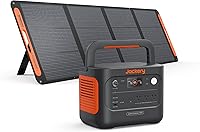
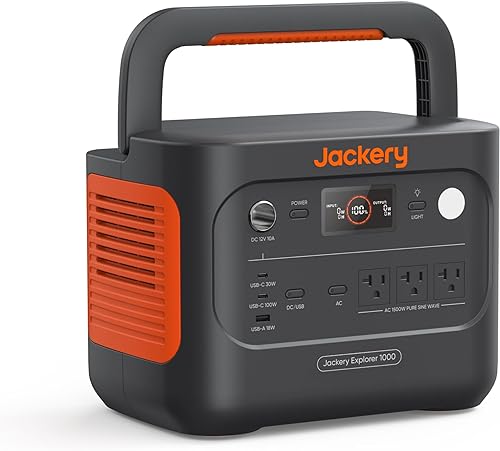
1. Jackery Explorer 1000 v2: portable power for essential home backup
Jackery Explorer 1000 v2: Best for room-to-room backup
- 1,070Wh capacity
- 1,500W AC output
- 23.8 lb
- Three AC ports
A lighter choice for carrying backup power to the room that needs it. Separate USB outputs leave the AC ports available for plug-in essentials.
Pros
- Foldable handle for carrying
- 100W USB-C charging
- App offers emergency and quiet charging modes
Cons
- Solar panel is not included
- Requires Jackery solar panels
Choose the Jackery Explorer 1000 v2 if you'll carry backup power between a desk, kitchen and storage space. Its 23.8 lb weight and foldable handle make those moves more manageable than with the heavier options here.
The battery holds 1,070Wh, and its 1,500W AC output suits selected appliances within that limit. Three pure sine wave AC ports serve plug-in loads, while USB connections let compatible phones and laptops charge without occupying those outlets.
Jackery says a full charge takes 1.7 hours in the default mode. Emergency charging cuts that to 1 hour, but you must enable it in the app before each charge.
Skip this model if your appliance group needs higher continuous output or your runtime estimate points toward a larger battery. Solar buyers should also account for its requirement to use Jackery panels, which aren't included.
For a small household backup kit, its main appeal is practical: enough connection choices for a short essentials list without making every move a heavy lift.
2. EcoFlow Delta 3 Classic
EcoFlow Delta 3 Classic: Best for home office backup
- 1,024Wh capacity
- 1,800W output
- Under 10ms UPS
- 45 minutes to 80% AC charge
A strong fit for a desk setup where backup switching and quick recharging matter. Check the computer's power requirements before choosing it as a UPS.
Pros
- Under 10ms UPS transfer
- Fast AC recharge
- App supports monitoring and charging schedules
Cons
- Incompatible with Delta 2 Smart Extra Battery and Delta 3 Series Smart Extra Battery
- Solar panel is optional
Choose the EcoFlow Delta 3 Classic for a desk setup where fast backup switching takes priority. EcoFlow states a UPS transfer time under 10ms, though your computer and connected equipment must support the arrangement.
Its 1,024Wh battery and 1,800W rated output separate energy storage from appliance capacity. It can support a higher combined running load than the top Jackery, but that doesn't give it a longer runtime at the same load.
EcoFlow says AC charging reaches 80% in 45 minutes. That makes it useful when you get a short recharge window between outages, and the app supports monitoring and charging schedules.
Skip it if your purchase depends on adding a Delta 2 Smart Extra Battery or Delta 3 Series Smart Extra Battery. This model is incompatible with both.
For home office use, include the monitor, router and other desk equipment in your energy estimate. Backing up the computer alone won't preserve your full work setup, and a powered router can't restore an interrupted internet service.
3. Bluetti Elite 100 V2
Bluetti Elite 100 V2: Best for shared living spaces
- 1,024Wh capacity
- 1,800W rated output
- 10ms UPS
- 25 lb
A compact option for indoor essentials, with a silent mode and Wi-Fi or Bluetooth app control. Keep it upright and leave room around its vents.
Pros
- 10ms UPS feature
- BLUETTI rates silent mode at 30dB
- Supports compatible third-party solar panels
Cons
- Panel compatibility needs careful checking
- Must stay upright during storage and transport
Choose the Bluetti Elite 100 V2 when backup power will share your living or sleeping space. BLUETTI rates its silent mode at 30dB, a useful feature when the station sits nearby, though that figure doesn't describe every operating mode.
It combines a 1,024Wh battery with 1,800W rated output in a 25 lb body. BLUETTI states a 10ms UPS transfer time and about 45 minutes to reach 80% charge using its rapid AC mode.
Wi-Fi and Bluetooth app control give you options for checking power use. Set up the controls before an outage so essential tasks don't depend on learning an app while the lights are out.
This is also worth considering if you already have compatible solar equipment. Third-party panels must meet its 12–60V open-circuit range, 1,000W maximum solar input and connector requirements.
Skip it when your energy plan needs substantially more storage. Keep the unit upright during storage and transport, and choose a location with clear vents rather than a tight cabinet.
4. Bluetti AC180
Bluetti AC180: Best for a fixed backup spot

- 1,152Wh capacity
- 1,800W output
- 20ms backup
- Eight outlets
A practical choice when the station can stay near its assigned appliances. It adds some capacity over the smaller picks and supports specified batteries in Power Bank mode.
Pros
- More capacity than the smaller 1kWh picks
- AC, car and solar charging cables included
- Supports B80, B230 and B300 in Power Bank mode with required cables
Cons
- 37.4 lb makes frequent carrying less appealing
- 500W maximum solar input
Choose the Bluetti AC180 if you can leave the station near its assigned appliances. Its 1,152Wh battery adds some reserve over the smaller picks, but its 37.4 lb weight makes frequent room changes less appealing.
The rated output is 1,800W, and BLUETTI states a 20ms backup transfer time. That combination suits a planned appliance setup more than a purchase driven mainly by the shortest transfer figure.
BLUETTI says a full AC charge takes 1 hour with 1,440W input. AC, car and solar charging cables are included, helping you prepare the supported charging routes before you need them.
The AC180 supports B80, B230 and B300 batteries in Power Bank mode with the required cables. Understand that connection method before buying accessories, since it differs from assuming any extra battery plugs straight in.
Skip it if carrying comfort matters more than the modest capacity increase. Its 500W solar input also makes it less appealing than the Elite 100 V2 for a compatible higher-input solar setup.
Which 2kWh stations suit longer backup plans?
A 2kWh station provides roughly twice the stored energy of a 1kWh model, making it useful for longer outages or a larger essential-load list. You'll still need to ration heavy loads and plan a recharge route.
5. EcoFlow Delta 3 Max
EcoFlow Delta 3 Max: Best for longer office outages

- 2,048Wh capacity
- 2,400W rated output
- Under 10ms transfer
- 0–80% charge in 1.13 hours
More stored energy for a longer workday backup plan, paired with fast stated transfer. Size it around the combined draw of your desk equipment and other essentials.
Pros
- Roughly twice the capacity of the 1kWh picks
- Under 10ms transfer
- App supports energy monitoring and schedules
Cons
- Solar panel is optional
- X-Boost requires appliance compatibility checks
Choose the EcoFlow Delta 3 Max when you want more runtime for work equipment and other essentials, paired with fast stated switching. Its 2,048Wh capacity gives you a larger energy reserve than the smaller office-focused pick.
Rated output is 2,400W, while EcoFlow advertises up to 3,400W through X-Boost. Use the rated figure for your initial load plan, and check appliance suitability before relying on the special mode.
EcoFlow states a transfer time under 10ms and charging from empty to 80% in 1.13 hours. App monitoring and schedules can help you track consumption and manage routine charging.
The larger battery is most useful when you know where that energy will go. A desk setup plus refrigeration needs a combined estimate, especially if both must keep running through the same outage.
Skip it for a phone-and-router kit that doesn't need this much storage. A smaller station is a more manageable choice when your measured demand is low and you expect short interruptions.
6. Anker SOLIX C2000 Gen 2
Anker SOLIX C2000 Gen 2: Best for growing fridge backup

- 2,048Wh capacity
- 2,400W rated output
- 4,000W peak
- Expandable to 4kWh
Choose this model if refrigerator backup may grow into a larger energy plan. A separate expansion battery can raise total capacity to 4kWh.
Pros
- Expandable capacity
- 9W standby consumption according to Anker
- Six recharge methods
Cons
- Heavy for frequent moves
- Expansion battery is separate
Choose the Anker SOLIX C2000 Gen 2 if your refrigerator backup plan may grow. Its 2,048Wh capacity can expand to 4kWh with a separate expansion battery, giving you a defined path toward more stored energy.
The station provides 2,400W rated output and 4,000W peak power. Anker states standby consumption of 9W, a useful consideration when an inverter stays on while a refrigerator cycles.
Anker claims up to 32 hours for a dual-door refrigerator. Use your own appliance's energy consumption for planning, since room temperature, door openings and other connected devices change runtime.
Anker's 58-minute full-charge claim uses AC and solar together. Don't build a wall-outlet-only recharge plan around that combined-input figure.
At 41.7 lb, this suits a planned backup location better than frequent carrying. Skip it if you want a small kit for lights and communications, or if you'll need to move the station up stairs each time power fails.
7. Jackery Explorer 2000 v2
Jackery Explorer 2000 v2: Best for moving larger backups
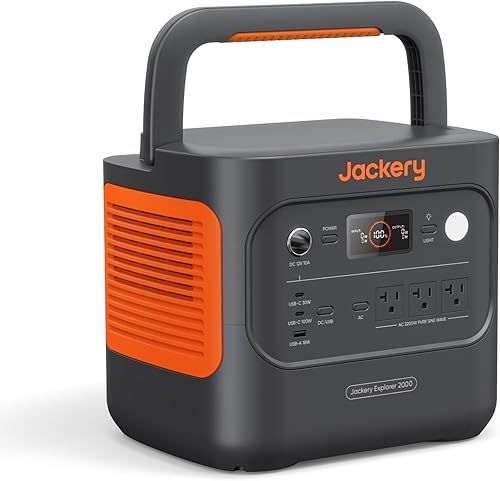
- 2,042Wh capacity
- 2,200W AC output
- 39.5 lb
- 20ms UPS switching
A larger battery for households that still need to move their backup between rooms. Its three AC ports suit a short, planned appliance list.
Pros
- Lighter than the Anker option here
- 100W USB-C output
- Offers silent charging mode
Cons
- Three AC ports require planning
- Not designed to charge electric vehicles
Choose the Jackery Explorer 2000 v2 if you need a larger battery but still expect to move it. Its 39.5 lb weight is lower than the Anker option here, though it's still a substantial load to carry.
The station holds 2,042Wh and provides 2,200W AC output across three AC ports. A 100W USB-C port lets a compatible laptop charge without using an AC adapter and outlet.
Jackery states a 20ms UPS transfer time and AC charging to 80% in 66 minutes. Its silent charging mode offers a slower option, with Jackery claiming a full charge in 5 hours at about 30dB.
For solar, Jackery says 400W panels can recharge it in as few as 6 hours under suitable conditions. Account for the panels separately rather than assuming they're part of the station package.
Skip it when you need more than its rated output or prioritize the shortest stated transfer time. It also isn't designed to charge electric vehicles.
How much battery capacity do you need for an outage?
Choose capacity from average power use multiplied by hours, then allow for losses and a reserve. A station's advertised watt-hours aren't all delivered to your appliances because conversion and the station itself consume energy.
Build an energy budget before choosing a model
Write down each essential device, its average draw and how long you'll run it. Separate continuous loads, such as networking equipment, from occasional loads, such as a laptop charger or task light.
For example, a hypothetical 20W networking setup for 8 hours uses 160Wh. Add a 10W light for 5 hours and 60W of laptop charging for 3 hours, and the appliance total becomes 390Wh.
That total is the starting point, before losses and reserve. Don't size the battery so tightly that an extra hour of work or an unexpected recharge leaves nothing for communications.
For an illustrative estimate, 1,000Wh multiplied by an assumed 0.8 usable fraction gives 800Wh. At a steady 100W load, that suggests about 8 hours, but the fraction is a planning assumption, not a measured result for these stations.
Measure cycling appliances over time
A refrigerator's energy use changes as its compressor starts and stops. A brief wattage reading can miss that pattern, so a plug-in energy meter used over a full day gives a better basis for estimating consumption.
Check startup requirements separately from energy use. Our guides to how much power a refrigerator uses and running one from a portable power station explain those checks.
How much output should your backup station have?
Choose continuous output above the loads you'll run together, then check startup demand separately. Battery capacity can't make up for an inverter that overloads when an appliance starts.
Add the running watts of everything you expect to connect at once. Leave room for loads that change rather than planning to operate at the station's limit throughout the outage.
A compressor or motor can briefly require more power at startup. Match that demand to the station's supported surge conditions, since a large peak number alone doesn't establish compatibility.
Boost modes also need care. Don't assume a special output mode will suit computers, motors and other appliances equally; follow the station's instructions for the specific load.
Reduce simultaneous demand when practical. Charge a laptop before using another higher-draw appliance, while keeping priority loads connected.
What should you connect to a home backup station?
Connect communications, lighting and other priority essentials first, then add optional loads if the energy budget allows. Giving every outlet a job doesn't mean filling every outlet.
Create a short written order: what must stay on, what can run briefly and what can wait. Keep a separate reserve for phones and essential communications if the outage lasts longer than expected.
Electric heat and cooking can consume stored energy quickly. Read our guide to portable power stations and space heaters before making one part of your plan.
Refrigeration may deserve its own station or a larger share of the battery budget. Avoid adding convenience loads just because the inverter has enough output to run them.
If you want to power household circuits, have a qualified electrician plan a suitable connection. Never feed home wiring through a household wall outlet from a station's output.
How should you set up the station before an outage?
Set up the station near its assigned loads, with ventilation, safe cable routes and easy access to its controls. Prepare the equipment while grid power is available so you can confirm that the planned arrangement works.
- Read the station and appliance instructions, including load limits, placement and charging rules.
- Charge the battery, enable the outputs you need and connect your planned equipment.
- Check the displayed load with the devices running together, including normal appliance starts.
- Confirm required cables reach without creating trip hazards or placing strain on plugs.
- Save the basic operating steps where another household member can find them.
For UPS use, follow the manufacturer's pass-through and backup instructions. A transfer figure describes the changeover interval; it doesn't promise that every connected device will stay on.
Keep charging cables with the station and label any adapters with their purpose. Avoid a setup that depends on finding a missing connector after the outage begins.
Our complete portable power station guide explains the main connections and terms if this is your first backup battery.
How will you recharge during a longer outage?
Choose a recharge route before you rely on the battery for a long outage. A larger battery delays depletion, but repeated use still requires enough incoming energy to replace what your appliances consume.
Wall charging helps when utility power returns, even briefly. Compare charge claims at the same endpoint, since reaching 80% and reaching full charge are different milestones.
Solar needs compatible equipment and usable sunlight. Panel wattage describes output under defined conditions, so shade, clouds and placement can make daily energy collection much lower than a simple wattage calculation suggests.
Keep panels in suitable sunlight while protecting the station according to its instructions. Confirm voltage, connector and input limits before connecting panels, and never combine them by guesswork.
See our solar generators for home backup for solar-focused choices. Our guide on how to charge a portable power station explains the charging routes.
Can a portable power station replace a generator?
A portable power station can replace a fuel generator for manageable loads with a workable recharge plan. It supplies stored electricity without fuel combustion at the point of use, which makes it useful for indoor appliance backup.
For long outages with substantial daily energy needs, recharging becomes the deciding issue. A battery that handles an appliance's wattage can still run out well before utility power returns.
A fuel generator requires fuel, outdoor placement and operation according to its instructions. It may better suit sustained demand when sunlight or another battery recharge source is limited.
Compare those choices in our guide to portable power stations versus generators for outages. Base the decision on your likely outage duration and energy needs rather than output alone.
How do you keep backup power ready?
Follow the manufacturer's storage, temperature and charging instructions, and check readiness on a regular schedule. A battery in a closet won't help if it's nearly empty or its charging cable is elsewhere.
Check charge before severe weather, inspect cables for damage and keep vents clear. Store the station in a dry place away from conditions outside its allowed temperature range.
Don't assume leaving it plugged in indefinitely is the right approach for every model. Use the recommended storage charge level and supported backup settings for your station.
During an outage, watch remaining energy and the actual load. Disconnect optional appliances early if the outage is stretching beyond your original plan.
Low-load shutoff settings deserve attention, especially for small networking devices. Confirm that any energy-saving mode won't turn off an output you need to keep active.
Read our portable power station safety guide for more placement and use advice.
Which mistakes waste home backup capacity?
The biggest mistake is buying from watts alone while ignoring watt-hours. A high-output inverter can run a demanding appliance, but a modest battery may support it only briefly.
Other common mistakes are easy to avoid:
- Planning from an appliance's maximum draw alone. Use energy over time for runtime and maximum demand for output checks.
- Counting every advertised watt-hour as usable. Allow for conversion, station consumption and reserve.
- Assuming UPS means no interruption. Match the transfer behavior to your equipment.
- Comparing unlike charging claims. Separate partial charges, full charges and combined-input modes.
- Ignoring carrying weight. Check whether you can move the unit along its actual route, including stairs.
- Buying panels by wattage alone. Voltage and connector compatibility matter too.
Which home backup power station should you choose?
The best portable power station for home backup is the one that covers your priority loads for your planned outage window. Use the shortlist below after checking energy use, startup demand and where the station will sit.
- Choose the Jackery Explorer 1000 v2 for lighter, room-to-room essential backup.
- Choose the EcoFlow Delta 3 Classic for a smaller office setup that prioritizes fast stated switching and recharging.
- Choose the Bluetti Elite 100 V2 for shared living space where its silent mode and carrying weight fit your routine.
- Choose the Bluetti AC180 for a fixed backup spot where its added capacity matters more than frequent carrying.
- Choose the EcoFlow Delta 3 Max for a larger energy budget with fast stated transfer.
- Choose the Anker SOLIX C2000 Gen 2 when refrigerator backup may need more battery capacity later.
- Choose the Jackery Explorer 2000 v2 when you need a larger battery and still expect to move it.
If your calculations exceed the smaller station's usable energy, move up in capacity before adding optional features. Use our portable power station size guide to turn your appliance list into a final buying decision.
Our top 3 picks at a glance
-
1
-
2
-
3
Frequently asked questions
What size portable power station do I need for home backup?
Choose a station whose usable energy covers your essential loads for the planned outage window. Multiply each device's average watts by its hours of use, then allow for conversion losses and reserve power.
Check running output and startup demand separately with our power station sizing guide.
Can a portable power station run a refrigerator during an outage?
Yes, if it can handle the refrigerator's startup demand and has enough stored energy for the outage. A fridge cycles, so its running wattage alone won't give an accurate runtime estimate.
Measure energy use over time and read our guide to running a refrigerator from a power station.
Can a portable power station power a whole house?
These stations are best used for selected appliances rather than every household circuit. Whole-house backup requires suitable output, enough energy and a properly designed electrical connection.
Never feed a household outlet from a station's output.
Read whether a portable power station can power a house before planning circuit backup.
What does UPS mean on a power station?
UPS means uninterruptible power supply, a feature that switches connected equipment to battery power when mains power fails. Transfer time still matters because some electronics tolerate a longer interruption than others.
Check both manuals for compatibility, supported loads and setup instructions before depending on the station to prevent a restart.
Can solar panels recharge a power station during an outage?
Yes, compatible solar panels can recharge a station while grid power is unavailable. Their voltage, connector and total input must suit the station, and actual charging varies with sunlight, shade and weather.
Plan around the energy you can collect rather than panel wattage alone.
Our solar charging guide explains the basics.